About Italian Brainrot Tung Tung Kart Online
Italian Brainrot Tung Tung Kart Online puts small character karts on a coastal course, but the first challenge is understanding the route through its menus. You choose a nickname and server region, create or join a room, choose a kart, and confirm that you are ready. If you are looking at a lobby instead of a racetrack, you have not necessarily done anything wrong: the room is part of the setup.
Our recorded desktop attempt used the Host route to enter Cavern Cove in Race mode. A red kart reached the course and moved forward across the starting line. That is a useful, repeatable starting point for this guide. It is also the limit of the driving result we can claim: the record does not establish a completed lap, a finished race, or a race with a second human player.
The Meme Behind Italian Brainrot Tung Tung Kart Online
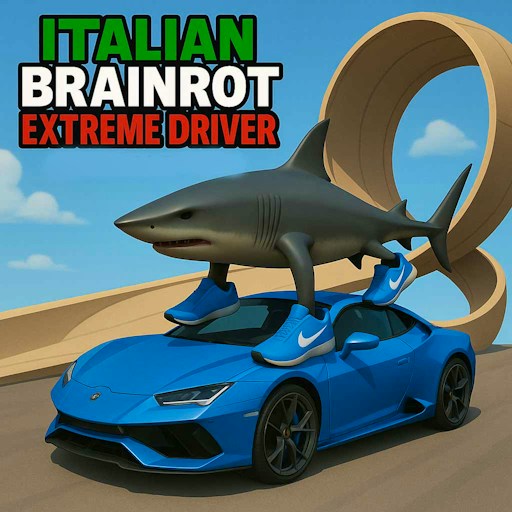
The checked vehicle selection included red, green, and blue karts. The red kart carried a sneaker-wearing shark, bringing a familiar Tralalero-style character into a racing setting. The joke works visually; you do not need a character biography to follow the menus or identify the vehicle you selected.
Do not turn the character artwork into a performance assumption. The selection screen displays speed, acceleration, and turn ratings, but our test did not measure those values against lap times. Compare the displayed ratings as menu information. A claim that one character is the fastest would require controlled driving comparisons that are not part of the current record.
How to Play Italian Brainrot Tung Tung Kart Online
Start the embedded player, complete any provider prompts, and look for User Setup. Enter a nickname that does not identify you personally. A made-up name is enough for recognizing your place in the room; there is no reason to use a full name, email address, school, or telephone number. Check the server-region selection before confirming. The recorded attempt used the US region, without comparing regional connection performance.
From the menu, select PLAY, then HOST. In the room setup, choose the course and mode presented by the game. Cavern Cove with Race mode is the combination covered by our observation. Confirm those options to continue. If the interface has changed since the check, follow the current labels rather than assuming every button remains in the same position.
Choose a kart, inspect its displayed ratings, and confirm the selection. There is still a lobby step: press READY to enter the course. This distinction matters because confirming a vehicle is not the same action as beginning the session. In the recorded attempt, a room containing only the test player reached the track after READY.
A solo room is useful for examining the setup, but it is not proof of a complete single-player mode. The observed HUD displayed 0/0, and the test stopped without establishing the meaning of every indicator. Do not assume that a visible counter describes opponents, laps, or a race result unless the game's current instructions make that clear.
With the course visible, focus the game window and try the up arrow. The recorded test held it for about two and a half seconds and observed forward movement beyond the starting line. That confirms a specific input response. It does not verify maximum speed, cornering, braking, or reverse behavior.
For your own first attempt, move a short distance and then examine how the kart responds to the directional controls described by the game. Practice before trying to take a corner quickly. This is a suggested learning sequence, not a tested racing line. Avoid assuming familiar shortcuts such as a spacebar drift or a boost key: those functions have not been established here.
Controls
- Mouse: nickname setup, room choices, vehicle selection, and menus.
- Up arrow: forward driving was observed on the desktop test.
- Directional keys: described as driving controls; other individual driving responses were not verified in that check.
- OPTIONS, then Audio: opens Master Volume, SFX Volume, and UI Volume settings.
- Desktop keyboard recommended: physical-phone driving is not covered by this guide.
Tips & Tricks
- Use the same course and kart for your first few comparisons. If you change the kart, track, and inputs at once, you cannot tell which change explains a different result. Once you understand the basic response, compare another kart's displayed turn rating with its behavior. Keep any conclusion modest until you can reproduce it.
- If you have selected a kart but still see a room, look for READY. If you have a room-creation screen, finish its confirmation before expecting the course. Reloading skips none of these steps and may send you back to the beginning. It should not be the first response to a menu that is waiting for another choice.
- The Audio menu separates overall volume from sound effects and interface sounds. In our check, the Master Volume slider could be moved toward the left end. We did not independently listen to the output, so that action is not a verified silence test. Check your actual sound level before beginning, and use your device's normal volume controls when necessary.
Why Play Italian Brainrot Tung Tung Kart Online Here
This is a reasonable option when you enjoy a room-based setup and want to inspect character karts on a coastal track. It takes more preparation than a game that begins with one button. The useful distinction is not that one format is better: choose this one when the setup interests you and you have a keyboard available.
If you mainly want character selection without driving, Brainrot Auto Fight offers a different kind of matchup menu, with its own verification limits. The Tung Tung Sahur collection provides other styles to compare. Read the individual input and availability notes before choosing your next game.