About Brainrot Chase Hide N Seek
Brainrot Chase Hide N Seek brings several chase activities into one colorful menu. You begin with a character selection and mode choices, then move into an arena shared with other figures and a pursuing monster. The visible menu includes Demon Quest and Loot & Escape, plus additional modes marked with video-unlock buttons. The result is a collection of chase scenarios rather than one fixed obstacle course.
Loot & Escape offers a straightforward place to begin. Choose Survivor, enter the round, and read the short tutorial. Its instructions center on taking the crown, attacking other characters, and outrunning the monster. The arena then shows a two-minute timer, a marker identifying your character, and WASD prompts. Those features give you a clear way to orient yourself before following the crowd.
The Meme Behind Brainrot Chase Hide N Seek
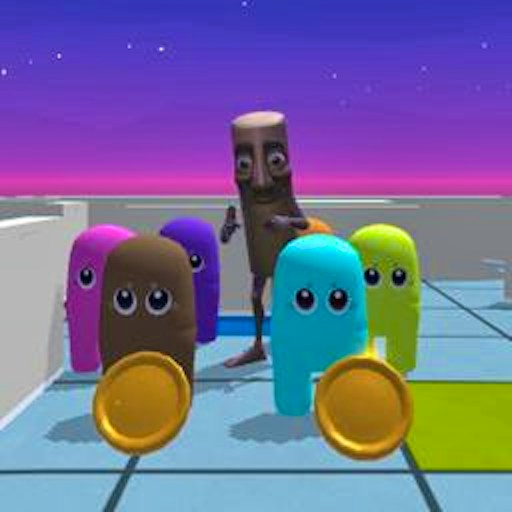
The visual joke comes from putting an oversized cast of strange characters into a familiar chase arena. A coffee ninja, unusual animals, and a large monster can all share the same room. With so many figures moving nearby, the challenge is partly about keeping track of your own character instead of mistaking a similar shape for the one you control.
Use the You marker at the start to establish that reference. The roster and character art make the scene lively, but the useful questions remain practical: where are you standing, where is the monster, and which route gives you space? Familiarity with a meme may help you recognize a figure quickly, but it does not replace watching the immediate situation.
How to Play Brainrot Chase Hide N Seek
Click Start to reach the mode menu. Select Loot & Escape, then choose the Survivor option with Select. The Hunter option may display a video-unlock button. Read those labels before clicking, because an available mode and an option that requires an advertisement are different ways of entering the game.
On a first visit, read How to Play and use OK to continue. An Items panel may then offer speed, extra time, or map-lighting bonuses through Claim buttons bearing video icons. You can close this panel with the X in its upper-right corner and enter the round without claiming those optional items.
Locate the You label above your character, then use WASD to move. Begin with a short input to understand how quickly the character travels. The opening group can be crowded, so pick out your position before making a long movement that takes you toward the edge of the visible area.
Keep the pursuing monster in mind while working toward the mode's objective. Loot & Escape introduces a crown and encounters with other characters, giving you reasons to move beyond simply following the nearest group. Read the current prompts for actions beyond movement; the different modes should not be assumed to use identical rules.
Watch the countdown and adapt to the room around you. If several figures block the route you intended to use, look for another opening instead of concentrating only on a distant objective. When the round ends, use the result and menu screens to decide whether to repeat the same activity or try another available mode.
Controls
- WASD: Move your character in the arena.
- Mouse: Use Start, mode selection, Survivor Select, and menu buttons.
- OK: Dismiss the introductory instructions.
- X on the Items panel: Skip optional item claims and continue into the round.
- Use each mode's on-screen instructions for any additional actions.
- GamePix currently marks this build for desktop play.
Tips & Tricks
- Identify your own character before moving. The You marker is especially useful when several figures begin close together.
- Read video icons before selecting an option. Some modes, the Hunter role, and item bonuses are presented as rewarded-ad unlocks.
- Try the available Survivor route first. It lets you learn the movement and arena view before deciding whether another mode interests you.
- Close the optional Items panel if you want to start without a bonus. The X provides a direct route to the arena.
- Keep an escape direction in mind when approaching a crowded area. An objective is harder to pursue if you lose track of the nearby monster.
- Repeat a mode to learn its rules before switching. Similar character art does not mean two activities ask you to make the same decisions.
Why Play Brainrot Chase Hide N Seek Here
Choose Brainrot Chase Hide N Seek if you enjoy a busy top-down scene and want several chase activities in one place. The available Survivor path is easy to follow once you know how to dismiss the optional item screen. Its appeal comes from reading movement in a crowded arena, choosing space, and reacting when a monster changes your plan. Players who prefer uninterrupted access to every option should notice the video-unlock labels before settling on a mode.