About Italian Brainrot Extreme Driver
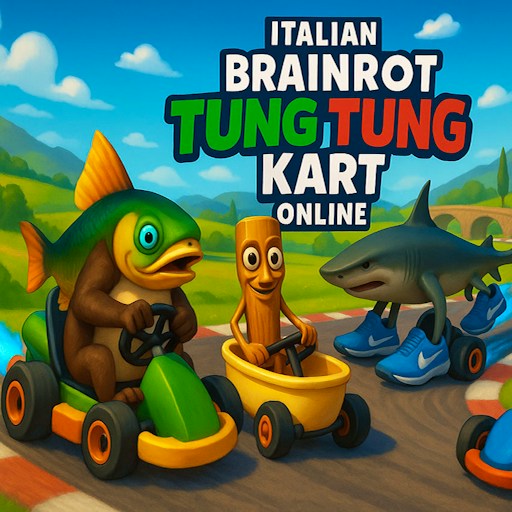
Italian Brainrot Extreme Driver puts a very unlikely driver on a very unlikely road. Its cast includes a shark with legs and sneakers, while the courses feature twisting routes, vertical sections, loops, and ramps. The spectacle is part of the invitation. You are trying to guide a car through track geometry that makes an ordinary corner look reassuringly sensible.
The challenge is reading what the road is asking for before you reach it. A sharp change of direction, an approaching ramp, and a loop entrance each demand your attention in a different place. It is easy to stare at the car because the character is funny. Looking farther ahead is usually more helpful when you want to stay on the route.
The Meme Behind Italian Brainrot Extreme Driver
A stunt game is a natural home for characters whose designs already ignore common sense. The developer's description pairs the sneaker-wearing shark with other brainrot figures, including Tung Tung Sahur and Brr Brr Patapim. Their presence gives the driving a playful tone, but knowing their names will not help you line up a difficult approach. The road still deserves most of your attention.
Think of the characters as the audience for your own small driving disaster. Overshooting a turn is easier to laugh about when the driver looks this unreasonable. That makes experimentation feel appropriate: learn a section, try a cleaner line, and enjoy the strange combination of a cartoonish cast and a course that keeps turning in unexpected directions.
How to Play Italian Brainrot Extreme Driver
Start the player and read the controls presented for your device. Our desktop check confirmed acceleration with W. Other key bindings and physical touch controls remain unverified for this build. Follow the current game's prompts for any additional stunt actions. Spend the opening moments learning how much a brief steering input changes your direction before holding a key through a complicated section.
On your first attempt, concentrate on the route. Look for the next turn, the entrance to a loop, and the surface you are meant to reach after a ramp. A spectacular launch is only useful if you understand where it is taking you. Learning the shape of the course gives you something specific to improve on the next attempt.
Approach a narrow section with the car already lined up as well as you can manage. Last-second corrections can make an awkward entry harder to recover from. Try shorter steering inputs and observe the response. If you repeatedly miss in the same direction, change the approach earlier rather than repeating the same correction at the final moment.
When the track rises or turns through a loop, keep reading the road beyond the immediate curve. Your sense of direction can feel less dependable when the surface is no longer level. Use the visible course as your reference and let the game's camera finish changing its view before making an unnecessary correction.
After an unsuccessful attempt, choose one detail to alter. It might be where you begin turning, how centered you are before a ramp, or how quickly you react to the next section. Changing one thing at a time helps you learn which input matters. Trying an entirely different approach every time makes useful comparisons much harder.
Controls
- W: the car accelerated and advanced in the desktop check. Other driving bindings should be read from the current game prompts.
- Touch input: not verified on a physical phone; follow the game prompts if your device offers touch controls.
- Stunt actions: Follow the current player's instructions for additional actions and their bindings.
- Mouse: Choose menu options. Touch menu input has not been verified.
- Expand: Increase the player's viewing area when you want a clearer view of the approaching track.
Tips & Tricks
- Look past the car. The next section of road tells you where to prepare your approach; the character's animation is mostly a distraction while driving.
- Make an entry plan for ramps. Identify the approach and the intended direction of travel before the road leaves the ground.
- Try brief corrections first. Learn the steering response before relying on long inputs through an unfamiliar bend.
- Use repeated misses as a clue. If the same turn keeps ending the same way, adjust the setup before that turn rather than only reacting later.
- Separate learning the route from chasing a flashy attempt. Once the sequence feels familiar, you have more attention available for the stunt itself.
- Give the road room on screen. A larger player can help you distinguish the route when its shape overlaps with the background.
Why Play Italian Brainrot Extreme Driver Here
Choose this game for the combination of unusual track shapes and a cast that makes even a simple drive look ridiculous. It rewards the kind of practice where one cleaner approach can turn a confusing section into something you understand. You do not need to memorize a character encyclopedia to enjoy that improvement. Learn the road, make a more deliberate input, and let the shark take credit for your driving.