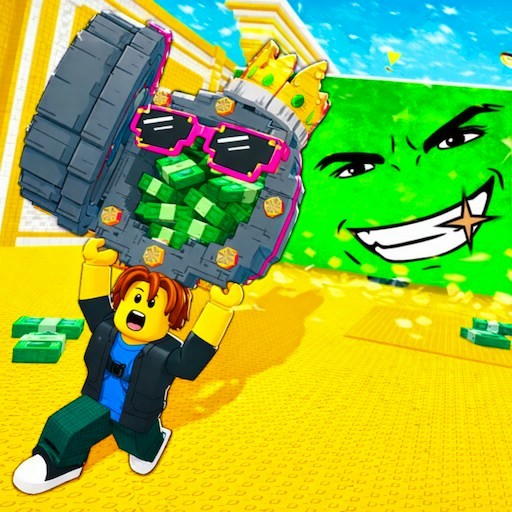
About Don't Wake Brainrot
Don't Wake Brainrot starts with a tempting idea: the creatures you want to collect are asleep, so surely taking one should be easy. The problem is what happens when your quiet approach turns into a chase. You move through a colorful three-dimensional world, look for a target, and try to bring your haul back. Planning the return trip matters just as much as finding something worth picking up in the first place.
The starting area gives you room to get your bearings. Rows of base spaces and collection pads sit along a bright path, with a cash counter and an arrow trail visible on screen. It has the blocky, oversized look familiar from many browser collecting games. Before chasing the next creature, spend a moment identifying your own route through that space. A recognizable landmark is much easier to follow when you are coming back in a hurry.
The Meme Behind Don't Wake Brainrot
The brainrot theme supplies a collection of strange targets for a familiar risk-and-return loop. Instead of treating every creature as an enemy to defeat, you are trying to make it part of your collection. Their odd appearance makes the scene funny, while the possibility of waking something gives a simple walk across the map a little suspense. You do not need a character encyclopedia to understand the immediate question: can you reach that target and get away?
If you enjoy the stealing and collecting side of brainrot games, this is another variation to try after Steal Brainrot. The sleeping-creature premise encourages you to think about the approach as well as the reward. The blocky visual style does not make this page an official Roblox experience; it opens a separate browser game distributed through GamePix. There is no Roblox login in the site's play flow.
How to Play Don't Wake Brainrot
Press Play now to open the GamePix game window. Follow any privacy choices and start prompts shown inside that window, then read the game's opening tutorial. The tutorial lists WASD for walking and E for interaction. Close the tutorial when you are ready, move around the starting path, and find the arrow trail before heading farther into the map. Clicking inside the game lets it receive your keyboard input.
Approach a sleeping brainrot and watch for the interaction prompt. Use the indicated control when you are in range, then follow the game's instructions for carrying or returning your target. Do not assume an object is interactive just because it is close to you. If nothing happens, adjust your position and look for the prompt again rather than pressing the same key repeatedly while standing in the wrong spot.
Keep your return route in mind while you move outward. The game's premise includes creatures waking and chasing you, so a path that is easy to navigate can be more useful than a shortcut you have not tried. Learn where the base pads are and how the main path connects to them. When the situation changes, make one clear turn toward a known landmark instead of spinning around to inspect everything behind you.
Once you return, use the current in-game prompts and counters to understand what your collection has earned or unlocked. Read any purchase or reward labels before selecting them. Some bonus icons carry a video symbol; those are optional choices presented by the game, and they are separate from learning the basic movement and interaction loop. The site's Recently played list remembers this game's page, while the game itself manages any collection or progress.
Controls
- WASD: Walk around the map, as shown by the opening tutorial.
- E: Interact when the game displays an available action.
- Space: Jump; the desktop playtest confirmed the character jumping from the starting path.
- Mouse click: Use tutorial, menu, and other on-screen buttons.
- P: Settings shortcut shown by the in-game interface.
Tips & Tricks
- Learn the base layout before attempting a long trip. Knowing which direction leads home saves time when a calm approach becomes a chase.
- Watch for the interaction prompt instead of relying only on distance. Moving slightly closer or changing your angle may reveal the action you need.
- Keep one distinctive landmark in sight when exploring. The bright path and rows of base spaces are useful reference points near the start.
- Practice moving and jumping in the open starting area. It is easier to understand a missed input there than while carrying something away from danger.
- Take the route you understand on your first return. A shortcut becomes useful after you know where it ends and whether you can move through it cleanly.
- Read the labels on bonus buttons. A video-marked reward is an optional game feature, and its exact benefit should come from the current prompt.
- Use Expand if the game feels cramped. The larger view gives the map more room while keeping a visible button for returning to the normal page.
Why Play Don't Wake Brainrot Here
Choose Don't Wake Brainrot when you want collecting with a little movement pressure. The objective gives you a reason to leave the starting area, while the return trip makes learning the map useful. It is approachable because the opening tutorial introduces only a few controls, but rushing through that introduction can make a simple pickup unnecessarily confusing. A patient first trip is a good way to learn what the next trip will demand.