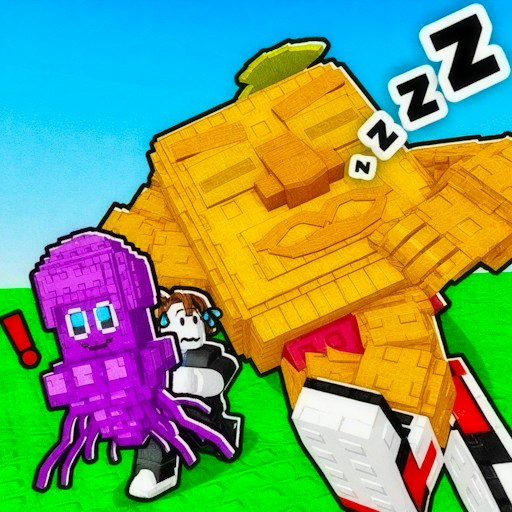
About Epic Escape from Italian Animals
Epic Escape from Italian Animals begins in an open character lobby rather than dropping you directly into a running lane. Character displays line the area, currency counters sit at the top, and a portal leads onward. Start by finding that portal and learning how your character moves.
The first visited animal scene was a snowy arena with structures, other figures, and marked animal areas. The official objective is to approach an animal and keep escaping while gathering items. Donuts contribute experience, and coins are used for character skins, according to the publisher. Those systems give the exploration a progression goal, although the desktop check covered travel and movement rather than an entire chase.
The Meme Behind Epic Escape from Italian Animals
Instead of using one pursuing character in a narrow corridor, this game places its unusual animals around an open space. Moving between the lobby and the arena changes both the setting and the immediate task.
How to Play Epic Escape from Italian Animals
Start the player and wait for the 3D lobby to appear.
Use WASD to move around the character displays. Walk through the portal beside the lobby displays to enter the animal scene.
Look around before approaching an animal. The official guide describes approaching one to begin the escape-and-collection loop.
Use Esc to open settings. MUSIC and SOUNDS have separate switches, and TO LOBBY is available in the same panel.
Controls
- WASD: Move the character.
- Esc: Open the settings panel.
- Space: Jump, as listed in the official control guide.
- MUSIC / SOUNDS: Separate audio switches.
Tips & Tricks
- Find the portal before spending time choosing a paid character.
- Give yourself room to move before approaching an animal.
- Check both sound switches if you want to reduce game audio.
Use the lobby to learn movement before approaching an animal
The starting area contains character displays and a portal. Treat those as landmarks for learning the view. Move a short distance with WASD, stop, and identify the portal again. The recorded desktop check walked through it and arrived in a snowy animal scene. That confirms a route out of the lobby without claiming that the larger escape-and-collection objective was completed.
The publisher describes approaching an animal to begin that wider loop. Before doing so, inspect the space around you and the direction from which you entered. A clear route back toward open ground is easier to follow than an unfamiliar scene viewed only after something starts pursuing you. This is a preparation suggestion; the current record does not establish an animal's speed, detection range, or exact trigger distance.
Separate visible objects from confirmed rewards
Donuts and coins are described by the publisher as experience items and skin currency. Their appearance in an explanation is not proof that collecting one has been tested on this site. If you choose to investigate a pickup, note the relevant display before approaching it and compare afterward. A missing object, a changed number, and an unlocked skin are different outcomes that should not be treated as interchangeable evidence.
Start by learning one interaction rather than trying to optimize the entire progression system. A useful first question is whether the current prompt asks you to collect, approach, or escape. Answering that from the interface is more reliable than assuming every animal-themed scene follows the same chase rules. The guide does not claim a tested route for earning currency or purchasing a particular character.
Know how to return to a familiar place
Esc opens the settings panel, where TO LOBBY appears alongside separate MUSIC and SOUNDS switches. The recorded check observed the switches changing to gray off states. Those visual settings do not certify independent audio output or silence in provider advertisements. Read each button's label before using it; returning to the lobby and changing audio have different effects on the current session.
If the new scene becomes confusing, a visible route to the lobby is useful, but saving progress across that transition has not been verified. Do not treat the website's Recently played list as a game checkpoint. The current evidence covers walking and passing through the portal, not a full capture, chase, purchase, or completion cycle. Space is listed as jump in the official controls, while the local operation record specifically confirmed walking. Keep that distinction in mind when planning an escape that would require a jump.
Why Play Epic Escape from Italian Animals Here
The lobby-to-arena structure offers room to explore before a chase. It is a useful choice when you want a third-person escape game with character progression rather than a short obstacle course.