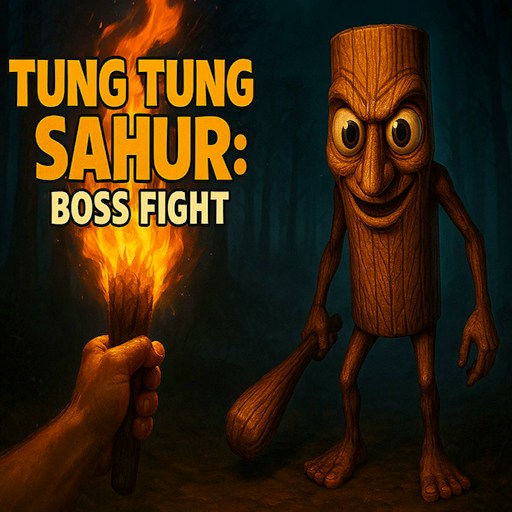
About Thung Thung Sahur Night Escape
Thung Thung Sahur Night Escape begins with a dark title screen and a choice between Continue, New Game, and Options. A new session opens inside a dim room with wooden trim, a wall picture, a doorway, and a light centered on your view. Moving closer makes the wall details and picture frame easier to inspect.
The publisher describes a larger mission to rescue trapped brainrot characters while avoiding Tung Tung Sahur. Treat the opening room as a place to learn movement and interaction before searching farther. The game is presented in first person, so turning, checking nearby details, and leaving space to move are more useful than rushing straight at a wall.
Tung Tung in a Dark Interior
The familiar wooden figure is framed as a threat by the title screen and the publisher’s escape premise. The opening room builds that atmosphere through low light, old pictures, and close first-person movement.
How to Play Thung Thung Sahur Night Escape
Start the official player and open Options before beginning if you want to adjust the experience.
Drag Volume left to lower the game sound. Sensitivity has a separate slider. Select Apply, then Back to return to the title menu.
Choose New Game and allow the scene to load. Click inside the game to give it keyboard focus.
Use WASD to move. The desktop check used W and confirmed a clear change in distance from the wall and picture frame.
The official control guide lists E for interaction and Esc for the menu. Explore nearby objects and follow the prompts you encounter as the scene develops.
Controls
- WASD: Move through the scene.
- E: Interact, according to the official guide.
- Esc: Open the menu.
- Options: Adjust sensitivity and game volume.
Tips & Tricks
- Lower the volume before New Game if sudden sounds bother you.
- Read the scene prompts before trying unfamiliar keys.
- Make small movements while learning the room layout.
- Look for a clear route around furniture and walls instead of holding forward continuously.
Learn the opening room as a map
New Game opens a dim first-person room with a wall picture, wooden trim, a doorway, and a light centered on the view. Use those features to establish where you are before moving farther. Walk a short distance toward one landmark, then look for the doorway again. This gives you a route you can recognize rather than a succession of dark surfaces that all feel alike.
Moving closer made the wall details and picture frame easier to inspect in the recorded desktop check. That confirms a basic movement response, not a solved objective in the room. A prominent picture might be a clue or ordinary scenery; the current evidence does not establish which. Read actual interaction prompts before treating every interesting object as part of a puzzle.
Connect interaction attempts to visible prompts
The official guide lists E for interaction. When you want to examine something, first place it clearly in view and look for the game's instruction. Try the indicated input and watch for a specific response. Pressing E while moving continuously past several objects makes it difficult to know which one, if any, accepted the action.
The publisher describes rescuing trapped brainrot characters while avoiding a pursuer. That broader mission is reported information, not a completed rescue sequence in this guide. Use it to understand the premise, but do not assume a particular key, route, or item location has been verified. The page's reliable opening advice is to learn movement, identify exits, and follow the current scene's prompts.
Set the presentation before exploring farther
Options includes sensitivity and game-volume settings. Inspect those before committing to exploration if a dark scene or sudden sound makes concentration difficult. A comfortable sensitivity helps you stop the view on a detail instead of repeatedly turning past it. No independent audio review or complete sound-control test is claimed by the existing record.
Continue and New Game are different menu choices, but their presence alone does not establish how saves work or which state Continue restores. Before leaving a longer session, look for an explicit save indication inside the game. The website's recent-history feature cannot preserve the room state. If the horror presentation is not the experience you want, choose a different format rather than treating a technical play check as an endorsement of every later scene or sound.
Why Play Thung Thung Sahur Night Escape Here
The player is paired with the opening control and audio instructions so you can adjust the experience before exploring. Choose it when you want a dark first-person escape setting rather than a timed picture puzzle.