About Tung Tung Sahur Trap Maze
Tung Tung Sahur Trap Maze presents its maze from above. Short walls divide the play area, colored runners move through the corridors, and Tung carries a red search cone in front of him. The opening choice is between Hide and Seek, so decide which role you want before starting the round.
In Seek, a brief preparation countdown gives the other characters time to hide. The main timer begins at 60 seconds. Once the round is active, you can steer Tung around corners and inspect routes between the walls. Captured characters can appear in a cage, while small status dots at the top track the remaining group. The checked version is a hide-and-seek game; do not expect the first screen to ask you to collect keys.
The Meme Behind Tung Tung Sahur Trap Maze
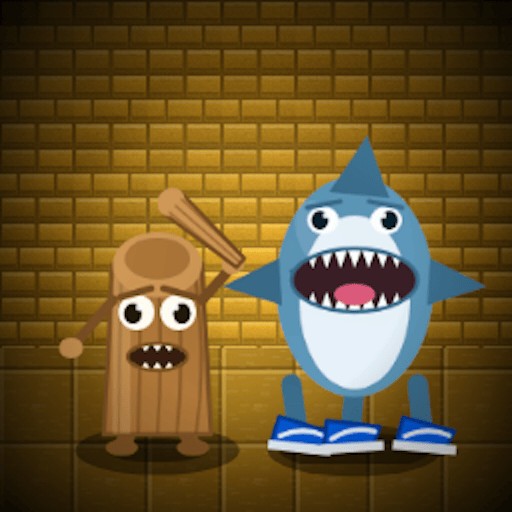
The wooden Tung character fills the seeker role in a bright, compact maze. His shape contrasts with the small colored runners, helping you distinguish the hunter from the hiding group. The overhead viewpoint makes walls and nearby paths more visible than in a first-person chase.
How to Play Tung Tung Sahur Trap Maze
At the opening scene, choose Seek to use the mode described in this guide. Hide is also available on the menu, but its full rules have not been checked here.
Wait through the short Time To Hide countdown. This preparation phase is separate from the 60-second round timer.
Hold and drag the mouse to steer. Watch Tung's direction and the red cone as you move around wall ends.
Use the top timer and status dots to follow the round. Caged runners show that captures have occurred; keep exploring instead of staying at the opening position.
Controls
- Seek: Select the seeker role.
- Mouse hold and drag: Steer within the maze.
- Hide: Alternate role shown on the opening screen.
Tips & Tricks
- Look for the end of a wall before steering toward a character on its other side.
- Use the red cone to read which way Tung is facing.
- Wait for the preparation countdown to finish before judging the movement controls.
- Check the timer periodically so that a single corner does not consume the whole round.
Wait for the preparation phase to end
Seek begins with a short Time To Hide countdown before the active sixty-second round. Treat those as different phases. During preparation, read the scene and locate wall ends. Once the active timer begins, make a deliberate drag and watch Tung's direction. Clicking repeatedly during the waiting phase will not explain movement better than waiting for the game to be ready for it.
The existing check chose Seek, not Hide. The red cone and caged characters belong to the observed seeker presentation. They help orient you, but the record does not establish the exact capture-distance formula or the complete victory condition. Do not assume that every runner inside a visually guessed range is automatically captured. Observe the game's actual change in status before deciding that an encounter counted.
Move around walls with a visible destination
Choose the end of a nearby wall as your first target rather than dragging straight toward a runner through the wall. Once you reach the corner, inspect the next open segment and choose another destination. This breaks a confusing maze into a sequence of short routes. It also makes it easier to tell whether a failed movement came from an obstacle or from a drag that pointed in the wrong direction.
Keep the cone's orientation in view when turning. Movement and facing can look similar in a busy scene, but they answer different questions: where Tung is going and which part of the maze the game is highlighting. Follow the current visual feedback instead of assuming a fixed relationship between pointer position and capture direction. The guide does not promise a route that clears the maze within the timer.
Use the round information to choose what to inspect next
The timer and status dots provide a broader view than the character alone. Check them when you reach a clear spot rather than while steering tightly around a corner. Caged runners show that captures have occurred, but a cage appearing elsewhere does not establish which specific input caused it. Keep your conclusions tied to the action you actually observed.
If you choose Hide later, read its own instructions before applying this seeker guide. The publisher's wider description and the visible mode menu do not prove that a separate key-finding escape mission has been verified. This version's recorded opening is a timed hide-and-seek maze. It can be enjoyable as that activity without needing an invented story about other modes. Phone controls and a complete round result still require separate checks.
Why Play Tung Tung Sahur Trap Maze Here
Short rounds and an overhead map give this game a different feel from exploring a dark building in first person. The basic decisions are immediate: choose a direction, clear a corner, and keep searching while the timer runs.