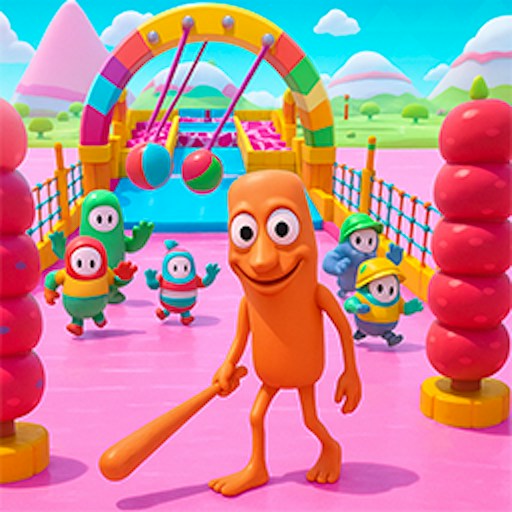
About Italian Brainrot Fragile Bridge Squid
Italian Brainrot Fragile Bridge Squid puts a narrow glass route in front of a brainrot character. The opening level has two rows of tiles, a starting platform, and a view down the bridge. Your immediate decision is which side to step onto next.
This is a measured route-choice challenge. The first scene includes a green tile highlight, so give the bridge a moment of attention before clicking. Once you move, use the character position to keep track of the row you have reached.
The Meme Behind Italian Brainrot Fragile Bridge Squid
Tung Tung Sahur appears on the starting platform, while a vertical character selector sits beside the bridge. The setting combines recognizable brainrot figures with the tension of a fragile path. The selected figure is easy to spot against the pale glass panels.
How to Play Italian Brainrot Fragile Bridge Squid
Click START GAME and wait through the next loading screen. Click TAP TO START when it appears.
In Level 1, inspect the two rows of glass in front of the character. Notice any highlighted panel before selecting your first step.
Click a tile on the side you want to take. Wait for the character to move before choosing again, then reassess the next row.
Controls
- START GAME: Begin loading the bridge game.
- TAP TO START: Enter the opening level.
- Mouse click on a bridge tile: Choose a step.
- Character buttons: View the available character selections.
Tips & Tricks
- Use one deliberate click per step instead of clicking several rows ahead.
- Watch both the tile highlight and your current position.
- Keep the whole bridge in view; expanding the player can make the two lanes clearer.
- Avoid assuming that changing characters changes the safety of a tile.
Keep track of rows, not just left and right
The bridge has a repeated two-lane pattern, so the same choice can look nearly identical at different distances. Before clicking, identify the row immediately ahead of your character. After the move, wait for the position to settle and find the next row again. This is more reliable than clicking several apparent safe spots in a sequence while the view is still changing. The recorded opening interaction moved the character onto the first left tile; it did not establish a complete route across the bridge.
A visible green highlight deserves inspection, but its meaning should come from the game's current behavior. Do not assume that every highlight is a permanent safe-path indicator or that the same tiles remain safe after a restart. Observe what happens to the selected tile and the character. If the game provides a new instruction, use that instruction instead of relying on a remembered color from an earlier scene.
Use an attempt to learn one rule
For an early attempt, your question might be whether a click selects the nearest tile or a more distant tile directly. Another useful question is whether a character finishes moving before a second click is accepted. Explore those questions with deliberate inputs rather than random rapid clicks. The goal is to connect one decision to one result so that a failure tells you something useful about the route or controls.
If you fall or the scene resets, distinguish a route error from an input error. Choosing the intended tile and discovering that it fails is different from clicking a tile you never meant to select. Increasing the player size may help with the second problem, but cannot solve the first. Check the camera angle and the current row before changing your choice. A restart should test a new idea rather than repeat a rapid series of clicks without observation.
Character selection is a separate question
The visible character choices can change the appearance of your runner. They are not evidence that one character can identify safe glass or survive a fall that another cannot. Unless the current game explicitly explains such a feature and you can verify it, choose a character for clarity. A silhouette that is easy to locate on the bridge is helpful while learning position and timing. Completion, later stages, and character-specific advantages remain outside the opening check described here.
The bridge layout is the information that matters during an attempt. Take a moment to locate the next decision point before selecting a route. If a choice fails, remember the visible context as well as the side you selected. Do not assume that a remembered choice remains correct in a different level or a newly generated arrangement; compare the current scene first.
Why Play Italian Brainrot Fragile Bridge Squid Here
Try this when you want a survival theme built around individual choices. The two-lane bridge makes the immediate task easy to understand, while the gap between the starting platform and the far end supplies the pressure.