About Tung Tung Sahur Snow Arena
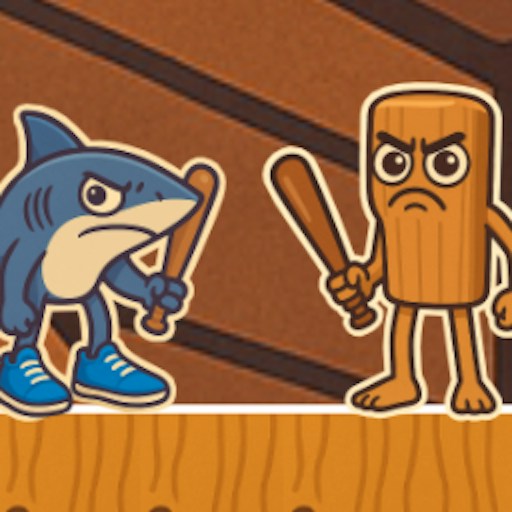
Tung Tung Sahur Snow Arena places the wooden character and a sneaker-wearing shark on icy platforms between two towers. Projectiles fly in from the sides while both characters try to stay out of the water. The moving hazards make positioning matter even before the players begin interfering with each other.
The opening round shows a timer and a separate counter beside each character portrait. The publisher describes a two-player contest in which falling into the water ten times loses the game. Use those counters and the round timer to follow the current state instead of judging the match only by who is farther across the screen. This page covers the opening arena and movement, rather than a verified complete match.
Wooden Drummer Meets Sneaker Shark
Two recognizable brainrot characters occupy opposite sides of the opening arena. The wooden drummer and shark have similar immediate problems here: slippery-looking platforms, water below, and snowballs arriving from the towers.
How to Play Tung Tung Sahur Snow Arena
Start the official player, then click the orange triangle on the snowy title screen. The shopping-cart button is a separate menu option.
Arrange for two players to share the keyboard. The official instructions assign WASD and the arrow keys to the two characters.
Move onto the ice and watch the incoming projectiles as well as the other player. D moves the wooden character toward the right in the tested opening round.
Keep track of the timer and both character counters at the top. Try to remain on the platforms while the other player and the towers make movement difficult.
Controls
- WASD: One player's movement controls, according to the official guide.
- Arrow keys: The other player's controls.
- Mouse: Start the round and select menu buttons.
Tips & Tricks
- Agree on the two sets of keys before starting so both players have room.
- Look at the edges of the playfield regularly to spot incoming snowballs.
- Avoid following the other player blindly across a gap; keep the nearest landing area in view.
Arrange the shared controls before starting
The official guide assigns WASD to one side and the arrow keys to the other. Agree on those sets before the round begins, and make sure each player can reach the keys comfortably. Use an initial short movement to identify which character responds. The existence of two characters and two control sets describes the intended shared-screen format; it is not evidence of online matchmaking.
The recorded opening includes the icy platforms, incoming projectiles, timer, and character counters. It does not establish a complete match with two independently verified participants. If you are trying the game with another person, check both sides' inputs first rather than waiting until one player is already near the water.
Watch the approach from the towers
Projectiles arrive from the sides, so regularly glance toward their entry points. A snowball can change whether a platform is a useful place to stand even when the other character has not moved. Look at the next landing area and the approaching projectile together before choosing a direction. Following the opponent blindly can lead you into a gap or a crossing shot that your own position made easier to avoid.
The water is an important part of the scene's reported rules. The publisher describes losing after ten falls, but the current test did not run a match to that result. Watch the counters after an actual fall if you want to understand how the version records it. A counter change and a collision animation answer different questions, so avoid treating every contact as an identical penalty without seeing the result.
Use the timer and counters as separate information
The timer describes the round's current time state; the character counters describe another part of the contest. Inspect both at a moment when your character is on a readable piece of the arena. If one number changes, relate it to the event you just saw rather than assuming that time and falls use the same rule.
For an opening session, learning reliable movement and spotting the next incoming shot is a practical goal. A complete competitive strategy would require more evidence about impacts, falls, and end conditions than the current check provides. Phone play and the ergonomics of two people using one touch screen are also unverified. Read the device notes and choose a setup that matches the documented keyboard controls.
Why Play Tung Tung Sahur Snow Arena Here
This is a choice for a shared-screen session with a friend. Its compact arena keeps both characters visible, so local competition is the main attraction rather than exploring a large map.