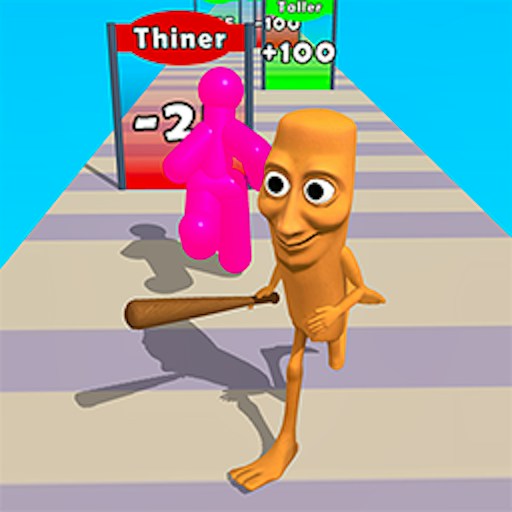
About Tung Tung Sahur Cash Frenzy
Tung Tung Sahur Cash Frenzy turns the wooden meme character into a forward-moving runner. The opening view shows cash on a narrow track, colored number gates farther ahead and upgrade controls outside the run. The visible choice is where to guide the character as the track advances. Unlike a quiz or a clicker, an input that starts the action also puts the runner in motion, so the first few seconds matter.
The checked desktop session reached Level 1 after holding and dragging on the game area. The runner moved onto the track, passed visible cash and multiplier signs, and a later mistake ended with LEVEL FAILED. The test did not establish a positive cash payout, successful multiplier effect or completed level. GamePix describes collecting money and avoiding red gates, but those outcomes should be judged from the current attempt rather than assumed from this one failed run.
Tung Tung Takes the Money Lane
Tung Tung Sahur is the runner, but the game's joke is the exaggerated money trail and number gates around him. The immediate skill is route selection under motion, not identifying the character from the title.
How to Play Tung Tung Sahur Cash Frenzy
Start the official GamePix player and wait for the runner screen. The first load can take longer than the preview page itself.
Press and hold inside the game area, then drag to begin Level 1. Keep your pointer over the game as you guide the character left or right.
Look ahead for cash and colored number gates while leaving room to avoid an immediate obstacle. The track advances once the run starts.
If the attempt ends, read the result and use the game's next-step controls. The checked failed run showed LEVEL FAILED; it did not demonstrate an earned upgrade.
Controls
- Mouse hold and horizontal drag: Begin the run and guide the character on desktop.
- Upcoming gate labels: Read the number and color before choosing a side; their effects were not independently measured.
- Touch swipe: Described by GamePix for mobile browsers, not tested on a real phone here.
Tips & Tricks
- Begin with a small drag so you can see how much screen movement changes the runner's position.
- Look at the nearest obstacle before committing to a distant-looking cash cluster.
- If a run fails quickly, note where it ended and change one route choice on the next attempt.
Start deliberately, then read ahead
The game asks for a hold-and-drag gesture, so a quick click may not communicate the movement you expect. Press in the active game frame and make a short horizontal motion. In the observed session, that began Level 1 and the runner advanced onto the track. Once motion starts, looking only at Tung Tung can leave too little time to react. Shift attention slightly ahead to the next gate or hazard while keeping the character's current lane in view.
A long sweep may move farther than intended. Small corrections are easier to interpret while you are learning the response. If the character veers toward an obstacle, release and adjust with another measured drag instead of guessing from the edge of the screen. The opening check showed movement and a failed attempt, not a complete map of steering sensitivity.
Read a gate before treating it as a reward
The track includes colored number signs, including positive-looking multipliers and a red negative obstacle in the checked scene. GamePix describes green gates as beneficial and red gates as something to avoid. That is useful guidance, but the local attempt did not isolate a gate's actual effect on the cash total. Watch the number, color and route together; do not assume a gate is safe just because cash lies nearby.
The clearest verified outcome is the failure screen. Use it as feedback about a route that did not work, without inventing a reason from one screenshot. A collision, an unfavorable gate or another rule could end an attempt depending on the current build. On the next run, change one decision at a time so the result is easier to interpret.
Keep upgrades separate from the run
Upgrade buttons are visible around the opening runner view, and GamePix describes skins and tools. The checked session did not purchase one or prove a particular cost or benefit. If you reach a positive balance, read each option's current label before spending. A visible button is not evidence that you already earned enough cash for it, and an ad-supported option is a provider feature rather than part of the site's own controls.
Cash Frenzy suits players who enjoy making quick route choices. For a less hurried Tung Tung session, the site's character quiz offers picture recognition instead. The two runner titles in the catalog also differ in what their gates appear to change: Chaser emphasizes body-shape choices, while Cash Frenzy presents money and number gates. Choose by the mechanic you want to test, then use the live game for exact outcomes.
Why Play Tung Tung Sahur Cash Frenzy Here
Pick Cash Frenzy when you want a short action attempt with a simple drag input and an obvious track to read. The money theme and gates distinguish it from the site's body-shape Chaser runner, even though both ask you to move between lanes.