About Tung Tung Sahur Bike Stunt
Tung Tung Sahur Bike Stunt is a side-view riding challenge with ramps, gaps and a small two-wheeled vehicle. The official artwork shows a larger dirt bike; in the checked game scene, Tung Tung rides a scooter-like bike. Once on the course, the useful question is how to carry enough speed over a ramp without losing control of the vehicle's angle.
The verified route into play is Start, then Area 1. Holding W moved the bike from its starting position up and beyond the first ramp. The on-screen control guide also shows keys for backward movement and leaning. Those extra actions are described as displayed controls; the checked run only confirms acceleration and the opening ramp movement, not a completed area.
Tung Tung on Two Wheels
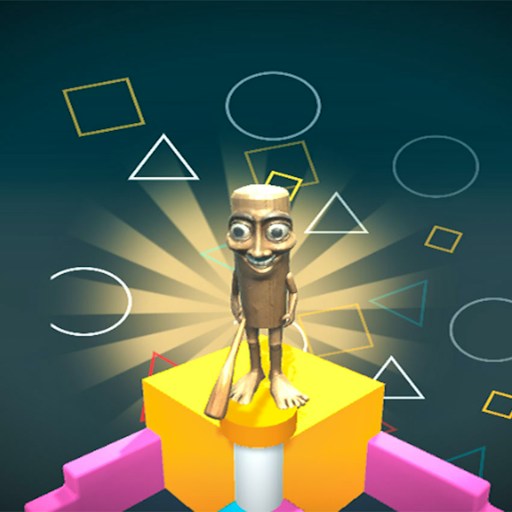
Tung Tung Sahur appears as the rider, giving the course a playful look. The bike, ramp and balance controls define the actual challenge more than the character name does.
How to Play Tung Tung Sahur Bike Stunt
Load the official player and select Start from the opening menu.
Choose Area 1 to enter the first available course.
Hold W or Up to accelerate toward the ramp. Watch the vehicle's position as the ground rises.
Use the displayed lean controls when you need to adjust balance. Reassess speed and angle after a failed approach before trying the ramp again.
Controls
- W / Up: Accelerate, as shown by the in-game guide; W moved the bike in the desktop check.
- S / Down: Move backward, according to the game's on-screen controls.
- A / Left and D / Right: Lean the vehicle left or right, according to the game's on-screen controls.
- Mouse: Choose Start and Area 1.
Tips & Tricks
- Build speed before the first ramp instead of beginning to accelerate at its edge.
- Watch the scooter's tilt as well as its forward movement; a good launch still needs a controlled landing.
- Use the opening ramp to learn how long to hold acceleration before taking on more of the course.
Learn the opening ramp before chasing distance
The available desktop check entered Area 1 and used W to move toward the opening ramp. That establishes an initial movement, not a completed stunt course. Start by judging how much space lies between the vehicle and the first change in terrain. Keep your attention on the approach as well as the ramp itself: an abrupt input made at the last moment is harder to interpret than a deliberate approach you can repeat.
The instruction mapping describes forward and backward movement together with left and right leaning. Treat the leaning controls as something to learn through small, isolated inputs. This page does not claim that every key combination or recovery maneuver was tested. If you lose control, repeat the approach and change one input at a time. Holding acceleration and both directional controls in quick succession will make it difficult to identify which action changed the vehicle's balance.
Distinguish the illustration from the actual vehicle
The cover art and the in-game scene do not have to show the vehicle in exactly the same way. In the checked scene, the vehicle looked like a scooter, despite the dirt-bike presentation suggested by some artwork. The useful controls are the ones the current game displays. Avoid assuming that a familiar bike-game technique, such as a specific midair rotation or landing bonus, exists here simply because it appears in another stunt game.
Before attempting a longer section, establish a short sequence you can reproduce: begin the area, move toward the first ramp and observe the vehicle's response. Then decide which part needs attention. If the approach is inconsistent, concentrate on that first. If the approach is stable but the next movement fails, change the later input. This keeps a retry focused on a particular decision instead of becoming another full-speed guess.
Keep expectations tied to the checked area
Area 1 is the starting point in the available record. Later areas, unlock conditions and complete runs have not been verified by that check. A menu showing another area is not evidence that it can already be entered or that the controls stay identical throughout. Read any new instructions when they appear, especially if a feature is presented as an optional unlock.
This is a better fit for someone who wants to practice vehicle timing than for someone seeking a confirmed mobile stunt game. Physical-phone play remains unverified. If the keyboard seems unresponsive, first click inside the game and make sure you have passed the provider's start screens. Reloading should come after that simple focus check, because it may discard the attempt you were trying to recover.
Why Play Tung Tung Sahur Bike Stunt Here
This is a good choice if you prefer physical movement over clicking targets. The first ramp gives an immediate way to feel how acceleration affects the bike before you try a longer run.