About Italian Animal Alchemy - Brainrot
Italian Animal Alchemy - Brainrot turns a collection of ordinary animals and objects into a recipe puzzle. Two shelves surround an empty workspace. Instead of matching identical pieces, you bring different ingredients together and see whether they produce a character. The fun comes from spotting a visual connection between a creature and an everyday item.
The opening workspace gives you plenty to inspect before making a move: fruit, animals, shoes, and other objects are arranged as small pictures. Dragging a shark into the middle places it on the board. Dropping sneakers onto that shark produces a much larger shark wearing blue shoes. That is a useful first recipe for learning the interaction without guessing at the controls.
The Meme Behind Italian Animal Alchemy - Brainrot
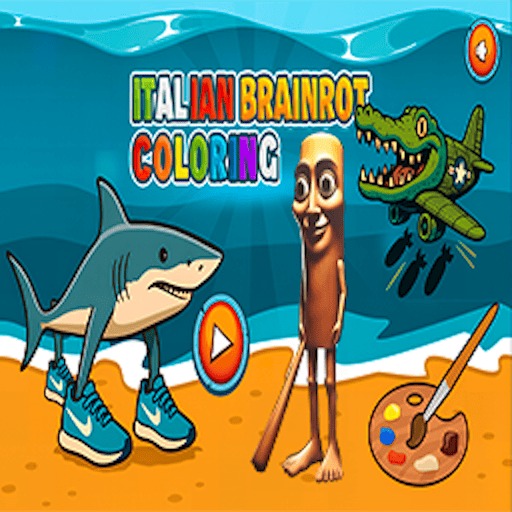
The ingredients explain the joke behind each hybrid. An animal and an accessory become a character whose appearance still shows both parts. The sneaker-wearing shark is a recognizable example of the Italian brainrot style, and the recipe approach lets you build that visual joke yourself.
How to Play Italian Animal Alchemy - Brainrot
Choose Play from the game menu to open the ingredient shelves. The separate Challenge button is another mode; begin with Play while learning the workspace.
Hold the mouse button over a shelf ingredient, drag it into the empty center, and release. A quick click alone does not place an ingredient.
Pick a second ingredient and drop it directly onto the first. Try the shark and sneakers from the right-hand shelf for a combination with a visible result.
Watch the result before choosing another pair. Some shelf pictures have video markers, so distinguish those from the ordinary ingredients when planning what to try next.
Controls
- Mouse drag from a shelf: Place an ingredient in the workspace.
- Drag one ingredient onto another: Try a combination.
- Play: Open the main recipe workspace.
Tips & Tricks
- Use ingredients with a clear visual relationship for your first experiments.
- Keep track of the pairs you have already tried instead of repeating them accidentally.
- Drop the second item onto the first, not merely beside it.
- Allow the new character to appear before beginning another drag.
Distinguish placing an ingredient from combining it
The shelves and the central workspace have different roles. Dragging from a shelf places an ingredient where you can work with it. Dragging another ingredient directly onto that piece attempts a combination. A quick click on a shelf picture is not the same action as either drag. If nothing appears in the center, check that you held the button, moved the pointer into the workspace, and released there.
The shark and sneakers provide a recorded example. Place the shark in the center, then drag the sneakers onto it. The desktop check produced a sneaker-wearing shark. This is a verified combination for the checked version, not a claim that every visually related pair combines successfully. The useful lesson is the placement sequence and visible result, which you can use when exploring another pair.
Make experiments easy to interpret
Keep the workspace readable while learning. Place one ingredient where it is easy to target, then try one second ingredient against it. If several pieces overlap, an unexpected result may come from dropping onto a different piece than intended. Separating experiments spatially helps you distinguish a recipe question from a pointer-placement question.
After a result appears, inspect its artwork before making the next move. Is it a new object or simply the ingredient you dragged? Which two items were involved? Remembering a short pair-and-result relationship is more useful than guessing from the final character's name alone. This guide does not provide a complete recipe tree, and it does not assume that reversing a pair, reusing a result, or combining identical objects always follows the same rule.
Choose ordinary ingredients before optional offers
Some shelf pictures display video markers. Those indicate a different interaction from simply choosing an ordinary ingredient. Read the current prompt before selecting one, and do not treat watching an optional video as a necessary step for reproducing the shark-and-sneakers example. The opening record did not verify every reward offer or its availability on different devices and networks.
The menu's Challenge option is also separate from Play. This page describes the main workspace, not the full set of challenge rules. A timed task or restricted ingredient set could require a different approach, so inspect its instructions if you choose that mode. The shared visual theme does not make this equivalent to a falling merge game: you are choosing different ingredients to test a combination, rather than relying on two matching pieces meeting in a container.
Why Play Italian Animal Alchemy - Brainrot Here
This suits a short discovery session with no need for fast keyboard movement. Your main decision is what to combine, and the resulting character provides a clear visual payoff. It offers a different pace from survival chases or games where identical objects merge into higher levels.