About Brainrot Jump Adventure
Brainrot Jump Adventure puts Tung Tung Sahur in a tall two-dimensional platform stage. Coins, question-mark blocks, and enemies fill the spaces above the starting floor. The opening tutorial keeps the keyboard setup compact: A and D control direction, while J controls an attack.
A timer, hearts, and an ammunition indicator share the upper part of the scene. You need to follow the platforms while keeping those limits in mind. The character moves through the vertical space quickly, so begin with short directional inputs before trying to collect every visible coin.
The Meme Behind Brainrot Jump Adventure
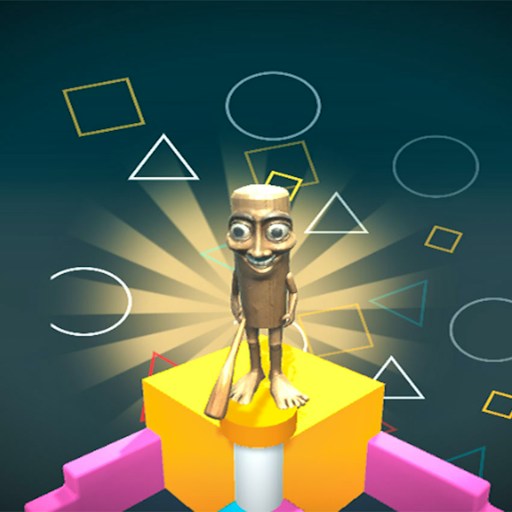
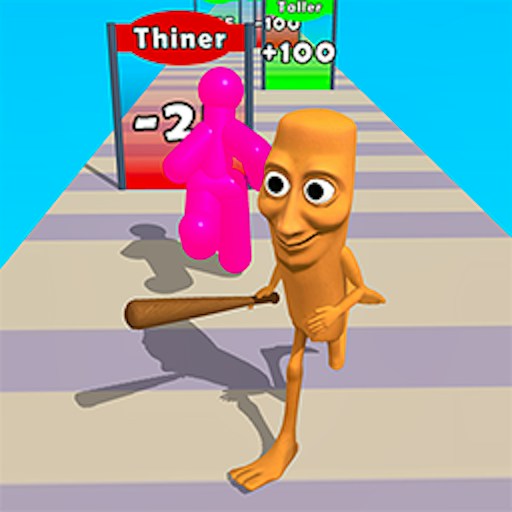
Tung is a small wooden sprite among much larger platforms and cartoon enemies. The menu also shows other brainrot characters, but the opening playable scene follows the familiar bat-carrying figure. Its flat illustrated style differs from a three-dimensional obby or base-building game.
How to Play Brainrot Jump Adventure
Choose Start in the menu. The button shows an energy cost, and entering the level uses one point from the displayed total.
Read the A/D and J tutorial, then click OK to enter the active stage.
Use A and D to guide the character sideways as the platform scene unfolds. Make a small adjustment first to learn how quickly Tung crosses the screen.
Press J to use an attack. Check the ammunition indicator after using it, and save further attempts for a useful position.
Controls
- A: Move left.
- D: Move right.
- J: Use an attack.
- OK: Close the opening control instructions.
Tips & Tricks
- Use short directional presses near platform edges.
- Look at the next reachable platform before chasing a coin.
- Remember that attacks consume the displayed ammunition supply.
- Read the energy cost before starting another attempt.
Read the tutorial before using familiar platformer keys
The opening tutorial shows A and D for direction and J for attacks. That is a better reference than the title: the word Jump does not establish that Space is the jump key in this game. Click OK after reading the panel, then make a short sideways movement to see how the character responds in the active stage. The recorded check confirmed leftward movement, so it supports an opening control exercise rather than a complete platforming route.
Keep the two kinds of input separate initially. First move, then try J when you can inspect the ammunition display. A decrease in ammunition confirms that the game registered the attack input. It does not prove that an enemy was hit, that damage was dealt, or that the shot was useful. Watch those outcomes separately before making a claim about attack timing or effectiveness.
Treat each stage entry as a deliberate attempt
The menu shows an energy cost beside Start. In the recorded desktop entry, the visible total changed from five to four. That means entering a stage is not necessarily an unlimited reset with no consequence inside the game's progression system. Before leaving and starting again, consider whether you can still learn something from the current attempt. Use the opportunity to inspect the controls, the platform arrangement, and the ammunition feedback.
Energy refill behavior was not verified. Do not assume a particular wait time, free refill, advertisement requirement, or payment mechanism from the opening total alone. If the game offers a refill choice, read its terms in the current interface. This guide does not recommend paying or watching an optional advertisement as a necessary step for learning the opening stage.
Plan movement and attacks as different decisions
Position determines what you can see and what an attack might reach. Before pressing J repeatedly, choose a place from which the scene is readable and watch a single attempt. That gives you a better basis for another input than using the whole ammunition supply without checking the result. Similarly, change direction with a purpose: aim for a visible part of the scene rather than alternating A and D only because the action looks busy.
The normal stage is the part covered by this page. Endless appears as a menu option, but its rules and progression have not been checked. It may deserve its own guide if verified later; for now, do not transfer every assumption from the opening stage to it. This is also a separate game from Jump for Brainrot's 3D base. Matching character names do not make their keyboard layouts, energy systems, or goals interchangeable.
Why Play Brainrot Jump Adventure Here
Choose this game for a keyboard-driven platform challenge with a small set of controls. The opening stage combines movement with a limited attack resource, giving you two things to manage without a large command list.