About Tung Tung Sahur Andreas Shooter
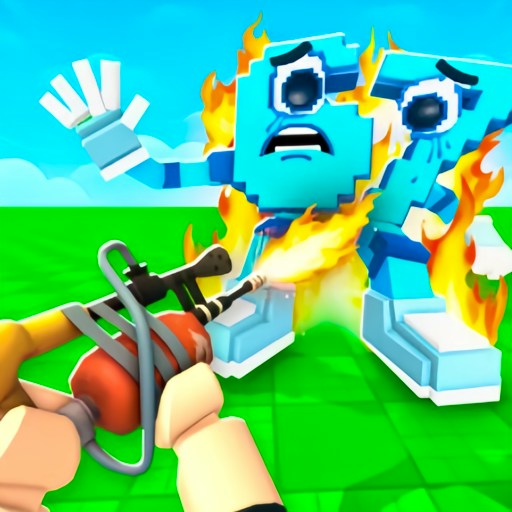
Tung Tung Sahur Andreas Shooter places a first-person gun view in a city street while wooden Tung Tung figures advance toward the camera. The start sequence is more involved than a single Play click: a title screen leads to an arsenal selection, where a free pistol is equipped and other weapons show cash prices. READY TO FIGHT opens the street wave. A target count at the bottom tells you how many enemies remain.
The checked desktop session entered the wave with the free pistol. The screen began at Shoot 12 enemies and cash $0. After dragging across the game area to move the crosshair, the visible state changed to Shoot 11 enemies and cash $15. That is a confirmed first hit and reward. It does not show a completed wave, a purchased weapon or the cost-effectiveness of any upgrade.
Tung Tung Comes Down the Street
The wooden Sahur character becomes a whole crowd of approaching targets. Its familiar face makes the wave funny, but the real challenge is keeping a moving target inside a first-person sight.
How to Play Tung Tung Sahur Andreas Shooter
Load the official GamePix player and press START on the game's opening screen.
On the arsenal screen, the pistol is marked Equipped and costs nothing. Leave it selected for a first attempt, then press READY TO FIGHT.
In the street scene, drag on the screen to shift the view and crosshair toward an approaching wooden enemy. The provider describes mouse aiming and clicking to shoot.
Watch the objective and cash at the bottom. The recorded action changed the objective from 12 to 11 and cash from $0 to $15.
Controls
- Mouse drag: Move the view and crosshair in the checked desktop wave.
- Mouse click: Described by GamePix as the fire action; the recorded drag sequence produced the verified hit.
- Arsenal buttons and READY TO FIGHT: Choose a weapon and start the wave.
Tips & Tricks
- Begin with the equipped free pistol. The expensive weapons on the selection screen are goals, not tools you already own.
- Keep the crosshair near the closest advancing enemy and make small corrections. A large drag can swing the view away from the street.
- Use the remaining-enemies number to confirm a hit. A muzzle animation alone is weaker evidence than 12 becoming 11.
Start with the equipped pistol
The arsenal screen shows several guns with prices, but the pistol is already marked Equipped. That matters because a first-time player can start without earning cash or choosing an upgrade. Press READY TO FIGHT to leave the menu and enter a street scene with an objective count.
It is easy to mistake the price list for a requirement to buy something. The checked run did not purchase a weapon and still reached the wave. Save any upgrade decision for after you understand how shots and cash work in the current build.
Use both the crosshair and the counter
The game displays an instruction to drag on the screen to move the crosshair. The recorded drag shifted the view toward an enemy and was followed by a clear objective change: Shoot 12 enemies became Shoot 11 enemies. Cash also rose by $15. These two labels make the result easier to trust than a single visual flash.
The street can fill with several wooden figures at different distances. Try the nearest clear target, move the crosshair a little, and check the counter. If the number stays the same, readjust before assuming the hit registered. The site has not measured accuracy, ammunition limits or which target pays the most.
What remains unverified
GamePix describes ongoing waves and weapon upgrades, but this test stopped after the first verified enemy. It did not establish that every wave can be cleared, that a weapon can be bought with the observed cash, or that later enemies behave the same way. The page describes the visible opening objective and leaves later outcomes to the live game.
The official listing marks desktop and mobile support. Our observed controls used desktop Chrome with mouse input, and a narrow-page layout check does not prove touch aiming inside the iframe. Sound level was also not independently checked; the game's own or provider's audio may differ from what the surrounding page controls.
Why Play Tung Tung Sahur Andreas Shooter Here
Pick Andreas Shooter for a first-person aiming challenge with a clear wave count and cash feedback. It differs from the site's static target games because figures move toward you along a street.