About Tung Tung Sahur Supermarket
Tung Tung Sahur Supermarket gives the wooden character a different job: working in a small store. The opening view includes a cash register, shelves around the room, and a clear floor between them. Instead of escaping a pursuer, you move around a workplace and learn where its different tasks happen.
The official game description includes serving shoppers, scanning purchases, cleaning spills, and restocking shelves. The store and a separate space containing a broom and water bucket are visible in the playable version. Start by learning the room layout so that each new job has a recognizable destination.
The Meme Behind Tung Tung Sahur Supermarket
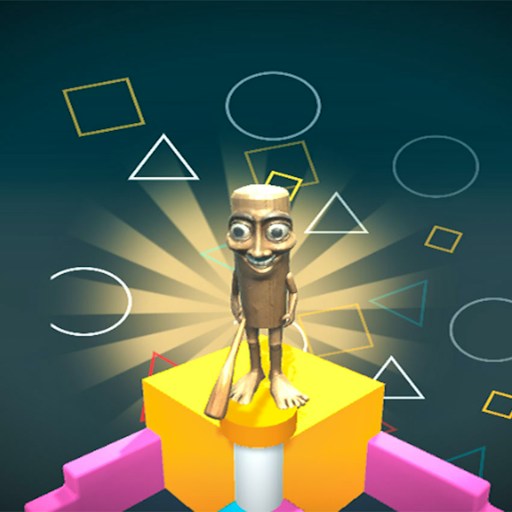
Tung Tung Sahur appears in a blue work shirt, replacing the usual chase with an ordinary supermarket shift. The joke comes from placing a familiar brainrot figure among groceries and cleaning tools. His bright character sprite is easy to follow against the pale store floor.
How to Play Tung Tung Sahur Supermarket
Click the green play button on the title screen to enter the supermarket.
Use WASD to move. Try a short movement beside the starting position before heading across the room.
Locate the checkout and shelves. Follow the game prompts when a task becomes available; the official instructions describe scanning products and using the storage area for supplies.
Use the button at the upper right to pause if you need time to read the scene. Click the play symbol there to resume.
Controls
- WASD: Move Tung around the store.
- Green play button: Begin the game.
- Upper-right pause/play control: Pause and resume the scene.
- Mouse: Select the game buttons and follow task prompts.
Tips & Tricks
- Learn the checkout position first so that you can return to it easily.
- Use short directional presses near furniture and doorways.
- Look for the broom and bucket when the game introduces cleaning.
- Pause to inspect unfamiliar prompts rather than moving past them.
Learn the store as a set of destinations
The checkout is a useful first landmark because it gives you a place to return to after exploring. Move away from it with a short key press, turn your attention to a nearby shelf, and then find the register again. Learning this small route makes later instructions easier to interpret. You are building a mental map of a room, not proving that a particular job or reward has already been completed.
The current desktop record confirms movement through the store and visible areas associated with its work theme. The publisher describes scanning purchases, serving shoppers, cleaning, and restocking. Those descriptions should not be confused with a verified demonstration of every task. Before attempting a job, look for the current prompt near the relevant object or workstation. Its wording is more useful than assuming that walking beside a shelf automatically performs the action.
Separate navigation from interaction
When Tung reaches a piece of furniture, stop and inspect what the game is showing. A character standing near the register may still need a task-specific input. If no instruction is visible, change your position slightly so that the object is easier to see rather than trying a sequence of unrelated keys. The guide does not establish a universal interaction button for all store activities.
Use shorter movements around corners and doorways. Holding a direction for too long can take you past a place you were trying to inspect, making a small layout feel confusing. The room with a broom and water bucket is worth remembering as a visual landmark for the publisher's cleaning description. The presence of those items does not by itself confirm how cleaning starts, how long it takes, or what it pays.
Use pauses to read the next job
The upper-right pause/play control can help you stop moving while inspecting the interface. Read the current objective before returning to the floor. If several things appear possible, choose one identifiable destination and see what instruction appears there. Trying to handle every advertised store role at once creates more uncertainty than learning one completed interaction properly.
For your own first session, a useful goal is to understand the route between checkout, shelves, and the separate utility area. A later goal would be to verify a complete job from prompt to result. The existing page does not claim that second result or a tested income strategy. It also does not promise that the store keeps progress after reload. Before leaving a longer session, look for a game-specific save indication rather than relying on this website's Recently played list.
Why Play Tung Tung Sahur Supermarket Here
Choose the supermarket for a task-oriented session with a familiar character. Its compact overhead room makes the locations easy to compare, and the change from survival to store work gives the brainrot theme a different pace.