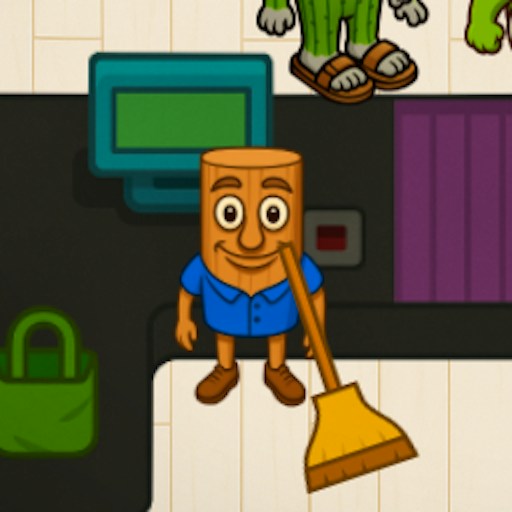
About Brainrot Cleaning
Brainrot Cleaning turns a giant wooden character into a cleaning job. The opening menu offers several activities, including Cleaning Italian Brainrot, Underwater, and Dig for Wealth. Choose the cleaning card to reach Level 1-1, where a water sprayer fills the lower-right corner and a timer runs above the scene.
The first task is labeled Clean the stick figure. You begin close to the statue, with its legs, body, and long stick in view. This is a first-person activity: your position affects which part of the model you can see, while the sprayer gives immediate visual feedback. Keep the target and the remaining time in view as you work.
Tung Tung as a Cleaning Job
The wooden figure is recognizable by its long body, limbs, and oversized stick. Here those features create a large target to work around with a water sprayer, giving the character a different role from the pursuer in an escape game.
How to Play Brainrot Cleaning
Start the official player, then select Cleaning Italian Brainrot from the game menu. The mode has a second loading stage after the main menu appears.
Read the task banner and timer when Level 1-1 starts. The opening scene provides a water sprayer and movement prompts.
Use the displayed WASD controls to reposition and F to spray. Space is labeled for jumping. Holding F produced visible water during the desktop check.
Watch the task progress rather than assuming every spray has cleaned the target. Change your position when part of the character is difficult to see.
Click the speaker at the upper left for a quieter session. Its icon changes to a crossed speaker when the game sound setting is off.
Controls
- Mouse: Choose a mode and use menu buttons.
- WASD: Movement shown in the game.
- F: Spray water.
- Space: Jump, as labeled on screen.
- Speaker button: Toggle game audio.
Tips & Tricks
- Start with the cleaning card so the task matches these instructions.
- Keep an eye on the timer while examining the large character.
- Use the task bar to judge progress; a visible stream alone does not establish that a surface is finished.
Select the activity that matches these instructions
The menu offers Cleaning Italian Brainrot, Underwater, and Dig for Wealth. This guide concerns the cleaning card and the checked Level 1-1 task labeled Clean the stick figure. Selecting another activity may lead to a different objective and control arrangement. Confirm the task label before assuming that the water sprayer is the right tool for whatever scene you opened.
In the cleaning scene, a first-person view places the sprayer near the lower-right corner. Your position affects which part of the statue is visible. Move a little, stop, and compare the target's outline before spraying. This is more deliberate than holding the spray input while walking past the model without knowing which area you are trying to reach.
Use the task bar to judge the result
A visible water stream is immediate feedback that the tool is active, but it does not establish that the surface is being cleaned successfully. Compare the task bar before and after working on one visible area. If it changes, you have something concrete to investigate further. If it does not, examine your position, the current target, and the task prompt before simply spraying longer.
The timer creates another reason to work on one area at a time. Choose a section you can see clearly, make a short attempt, and then inspect progress. That approach connects the time spent with an observable result. The existing evidence does not establish an exact cleaning rate, a required distance, or a complete level solution, so this page does not invent a fastest route around the statue.
Keep movement, spraying, and completion distinct
WASD is shown for movement, F for spraying, and Space for jumping. A displayed key is useful instruction, but the scope of each recorded action remains important. Reaching the statue and producing water should not be described as completing the task. Look for an explicit result or a completed objective before deciding the level is finished.
The menu's other activities and later cleaning tasks remain separate parts to investigate. A result in Level 1-1 would not establish the rules of Underwater or Dig for Wealth. If you want a quiet session, check the speaker setting and actual output; provider advertisements may behave separately. Before leaving, do not rely on Recently played to preserve your cleaning progress. It stores a link to the game, not the state of the model you were working on.
Why Play Brainrot Cleaning Here
Choose this game when you want a task-based simulation with a visible timer rather than a race or a fight. The page keeps the cleaning-mode steps and keyboard prompts alongside the official player.