About Italian Brainrot Anomaly
Italian Brainrot Anomaly is a side-by-side picture puzzle. Level 1 asks you to find five differences between two images of Tung Tung Sahur and the surrounding scene. The pictures look close enough that it pays to compare small details instead of glancing at the whole composition.
A correct selection receives red circle markers on the paired images. Those markers make it easier to distinguish a detail you have already found from an area that still needs attention. Work through the scene in a steady order and let the marked spots guide your next comparison.
The Meme Behind Italian Brainrot Anomaly
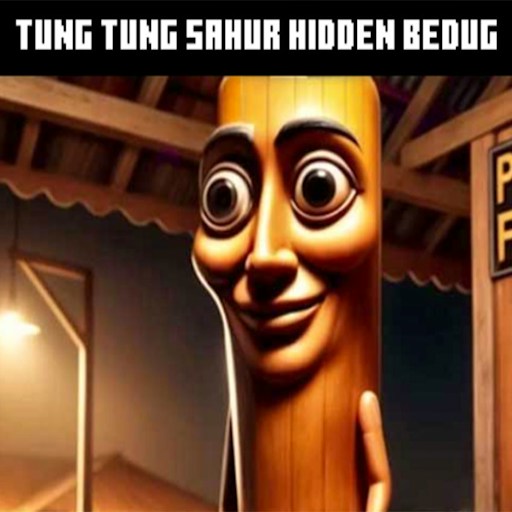
The familiar wooden character becomes the subject of a visual inspection. Facial details, objects, and the odd background are all worth a closer look. The artwork has a strange, slightly creepy tone rather than the bright racing style of some other brainrot games.
How to Play Italian Brainrot Anomaly
Start the embedded player, then click START in the game menu. Wait for Level 1 and the two pictures to appear.
Compare the same small area in both images. Start near the top and move downward so that you do not repeatedly inspect only the most obvious feature.
Click a mismatched detail. When red circles appear, move on to a different part of the picture and continue toward the five-difference target.
Controls
- START: Open the first puzzle.
- Mouse click: Select a suspected difference.
- Red circle markers: Identify a correctly selected detail.
Tips & Tricks
- Compare outlines as well as colors; a small shape change can be easy to overlook.
- Use the character face as an early reference point, then check the surrounding objects.
- Enlarge the player before making a very precise selection.
- Keep a consistent scanning order instead of clicking randomly around the image.
Compare one detail in both pictures
A useful search begins with a specific feature rather than a general feeling that the pictures differ. Look at one eye, one edge of a prop, or one part of the background, then find the corresponding place in the other image. Compare its shape, color, and presence. This gives you a reason to click. Moving rapidly between unrelated areas makes it easy to forget which side you already checked and to mistake ordinary artwork for a difference.
The recorded opening success was a click on the white eye in the right-hand picture. Red circles then marked the corresponding area in both images. That confirms how a successful selection is presented in that scene. It is an example of the feedback to look for, not a complete answer key for every version or later board. If the current picture differs, use the same comparison method rather than clicking a remembered coordinate.
Divide the scene into a search route
Begin with the main character's face, continue along the body outline, and then inspect the surrounding objects and corners. You can choose another order, but keep it consistent within an attempt. A route gives you a way to resume after checking the counter or adjusting the player size. It also reduces the tendency to revisit the most eye-catching feature while leaving a quiet corner unexamined.
When you find a detail, use its red marker as a boundary for the next search. There is little value in repeatedly comparing the center of a circle that already confirms a correct selection. Instead, move outward to an unmarked region. Check edges and small gaps between objects as well as obvious colors. A missing line or an altered outline can be less noticeable than a changed patch of color, especially when the surrounding artwork is busy.
Make precise clicks without turning the puzzle into guessing
Expand the player before making a difficult selection if the two images are too small. Then reacquire the exact detail on both sides; a larger layout may change the pointer position you had in mind. Use a deliberate click on the suspected difference and wait for feedback. Random clicking does not tell you whether you actually recognized a change, and the current record does not establish the consequences of every incorrect click.
Level 1 asks for five differences, but our documented check confirmed only one successful selection. It did not finish the board or examine later levels. The practical aim of this guide is to help you search systematically and interpret a confirmed find, without presenting an untested full solution as if it came from a completed playthrough.
Why Play Italian Brainrot Anomaly Here
This is a good change of pace from movement-heavy games. The interaction is simple, but the paired images reward careful attention. A visible marker gives immediate feedback when you spot a real difference.