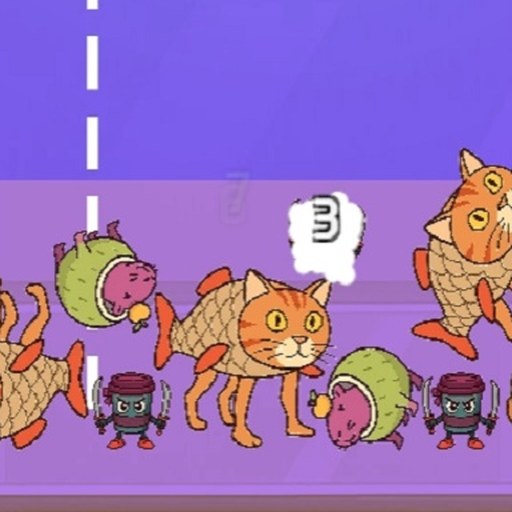
About Italian Animals Create a Christmas Brainrot!
Italian Animals Create a Christmas Brainrot! is a step-by-step character builder. Its opening board shows a question mark beside a grid of possible creature bodies, fruit shapes and objects. Selecting one part changes the large preview immediately. The NEXT button then takes you to another grid, where the first chosen part stays in view while you choose the next component.
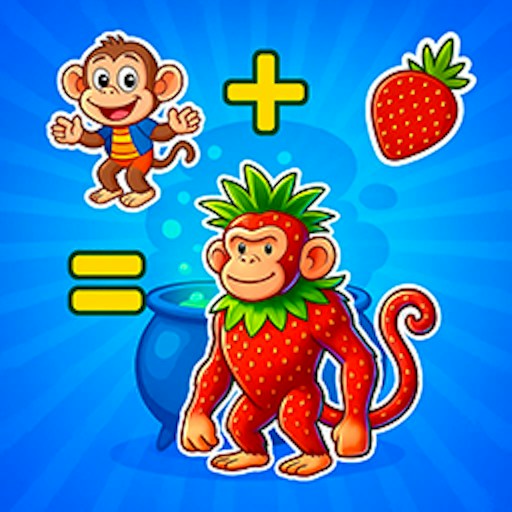
In the checked desktop session, selecting a strawberry-like body replaced the question mark with a red-and-green creature, and pressing NEXT opened a head-selection grid. The session also clicked the speaker icon and saw it change to a crossed-out symbol. Those visible steps confirm the builder starts and responds. They do not prove the sound became silent, that every part is free, that a passport was generated or that an image can be saved.
Build a Seasonal Brainrot Creature
The builder invites deliberately unlikely combinations: a fruit body can receive an animal or brainrot head. Seasonal snowflake art frames the board, but the real activity is choosing and comparing creature parts.
How to Play Italian Animals Create a Christmas Brainrot!
Start the official GamePix player. When the selection board appears, choose a body from the visible grid.
Check the large preview on the left. In the recorded run, choosing a strawberry body changed the question mark into a matching creature.
Press NEXT to move to the head-selection grid while keeping the chosen body. Continue through the later parts according to the game's current prompts.
The lower-left speaker button can be toggled. Its icon changed during the check, but sound output was not independently heard.
Controls
- Mouse click: Select a part from the grid and use NEXT between stages.
- Speaker button: Toggle the game's displayed sound setting. It does not control provider ads.
- Touch tap: Listed as supported by GamePix; not tested on a physical phone here.
Tips & Tricks
- Pick one freely available body first so you can see how the large preview responds before considering locked or ad-labeled options.
- Keep your chosen body in mind when you reach the head grid. The visual joke comes from mismatched parts, but you can also try a consistent theme.
- Some grid cells show a coin price or an ADS label. Read the current label before selecting; their unlock behavior was not tested.
Build one part at a time
This is not a drag-everything-onto-a-canvas editor. The opening screen presents discrete choices. A single click selects a part and updates the large character preview. Only after a selection does NEXT become the meaningful action. If the button looks inactive, check whether a body cell has been selected first.
The first confirmed choice used a strawberry-like body. The next screen displayed many head options while retaining the chosen body in the preview. That continuity makes it easier to judge whether a new head complements the body or creates a funnier mismatch. Later legs and passport steps are described by GamePix but were not reached in this particular check.
Notice prices and ad labels
The part grid mixes ordinary choices with cells marked by coins or ADS. A displayed price is a current game UI label, not a charge by this website. Do not assume every pictured part is immediately available. The local check selected a visible body without trying to earn coins or watch an ad.
If you want a quick first creation, start with a plainly available option. That gives you a responsive preview and moves you to the next category without making the unlock system the focus of your first session. Return to locked choices only after you understand the game's own terms.
Use the on-screen sound control
The lower-left speaker control is visually clear and changed to a crossed-out icon when clicked. That is evidence of a setting change on screen, not an independent audio measurement. The game may introduce a spoken character name later, according to its official description; the recorded session did not reach that output.
GamePix lists phone support, but this site's check used desktop Chrome. A small screen may make the many part cells harder to select accurately, especially those with pricing icons. Use the live preview to confirm each touch registered before moving to the next stage.
Why Play Italian Animals Create a Christmas Brainrot! Here
Choose this for a slower creative break. It differs from a merge puzzle because you select parts directly instead of combining matching tiles or dragging objects together.