About Brainrot Explorer: Match and Crush Game
Brainrot Explorer: Match and Crush Game opens with character tiles arranged above a collection tray. Clicking a tile sends it toward the tray rather than swapping it with a neighbor. The basic task is to gather three copies of the same character, clear that group, and continue through the board.
The first level uses a small arrangement, giving you time to distinguish the repeated pictures. Two matching tiles remain in the tray until a third completes the set. After a match, the tray clears those tiles and the progress bar advances. Watch the board again before choosing your next group because the arrangement changes as you play.
The Meme Behind Brainrot Explorer: Match and Crush Game
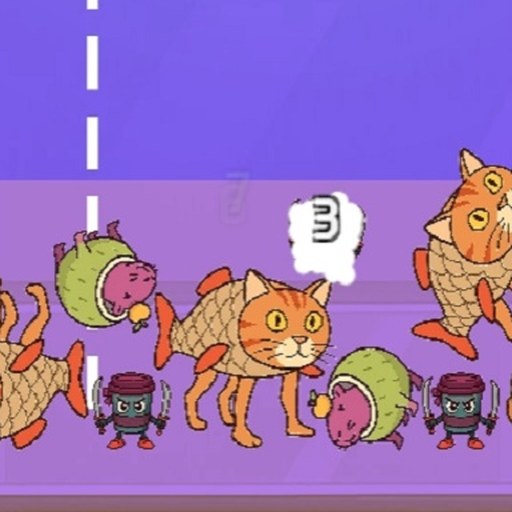
The puzzle uses small, colorful character portraits instead of ordinary gems. A banana-shaped figure and other unusual faces provide the matching cues. At this scale, the outline and dominant color of each portrait can be more helpful than trying to remember every character name.
How to Play Brainrot Explorer: Match and Crush Game
Click START on the title screen. Wait for the separate internal loading bar to finish and LEVEL 1 to appear.
Look over the board for a character shown at least three times. Choose a group before collecting unrelated tiles.
Click matching portraits one at a time. The bottom tray shows the pieces you are currently collecting.
Select a third matching portrait to clear the group. Check the changed board and the progress bar before starting the next set.
Controls
- Mouse click: Select a visible character tile.
- START: Open the matching level.
- Bottom tray: Shows the tiles collected for a match.
- Top progress bar: Displays progress through the current board.
Tips & Tricks
- Identify a complete group before committing to the first tile.
- Compare portrait shapes as well as colors when two characters look similar.
- Check which tiles remain after every match.
- Enlarge the game view if the small portraits are difficult to distinguish.
Choose a complete group before using the tray
The checked opening puzzle collects tiles into a bottom tray. It does not use the familiar rule of swapping neighboring pieces on a grid. Before selecting a portrait, find two other visible portraits that match it. Having a three-piece plan helps you avoid filling the tray with unrelated intentions. The third matching selection cleared the group and advanced the progress display during the documented Level 1 check.
After two selections, seeing the pair remain in the tray is expected for this observed three-match interaction. Do not assume the game failed to respond simply because the pair did not disappear. Locate the third matching portrait, select it, and inspect both the tray and the board. The useful feedback is the completed set clearing, not merely an animation on the tile you clicked.
Read the changed board after each set
A cleared group changes the available picture. Pause before collecting another portrait so you can see what is now visible and which characters repeat. A plan formed before the previous clear may no longer be the best plan for the new arrangement. Keeping the tray's current contents in mind is more important than clicking the first familiar face you notice.
If you have already collected unrelated portraits, look at which of those can be completed with visible matches. Try to resolve one existing intention before creating another. This is a way to organize your decisions, not a verified claim about tray capacity or the exact failure condition. The opening record did not establish a maximum number of unmatched tiles, so this page does not invent a numeric limit or a guaranteed rescue sequence.
Recognize what the loading screens mean
START is followed by a separate internal loading bar before LEVEL 1 appears. Allow that stage to finish rather than repeatedly clicking START or reloading the entire player. The website's game-window status only says the embedded document opened; the game's own loading bar is a different signal. When the board finally appears, check the bottom tray and progress bar to orient yourself before making the first selection.
The official description mentions multiple activities, but the evidence here concerns the matching mode. An advertised escape or merge activity might have different rules and controls. Choose it only after reading its current instructions, and do not use this three-portrait tray guide as a promise about those other modes. Desktop click behavior also does not verify a complete touch session. The focused value of this page is a clear description of the specific opening interaction that was actually observed.
Why Play Brainrot Explorer: Match and Crush Game Here
The opening puzzle offers a slower change of pace from pursuit and platform games. Its main decision is what to collect next, with clear feedback when a group disappears. It is a different kind of matching challenge from exchanging picture pieces or combining two falling characters.