About Backrooms Craft
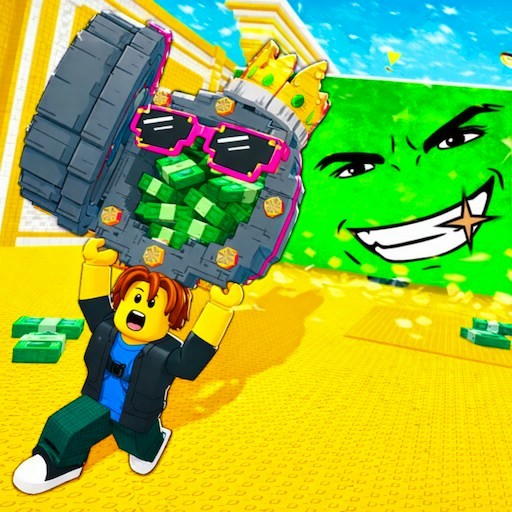
Backrooms Craft starts in a bright yellow base rather than sending you straight into a chase. A supply-box objective introduces the resource system, and the equipment bar begins empty. You move in first person, line up an object with the crosshair, and hold the mouse button to gather materials. Opening the inventory reveals recipes and a small crafting grid, so the first few minutes are about making useful equipment as much as exploring corridors.
Our checked opening produced sticks, cardboard scrap, and charcoal from a supply box, then a torch from the recipe interface. That provides a working starting route for the guide below. Playgama describes later tools, furniture salvage, workbenches, a furnace, and several Backrooms zones. Those later tiers and encounters were not completed in this session.
Backrooms exploration with a crafting chain
The yellow walls and fluorescent-lit passages provide the Backrooms setting. The crafting system gives those rooms a practical question: what can you salvage before you move on? A supply box is an early resource source, and furniture is part of the next objective chain. The result is a survival opening built around preparation and inventory choices, with the danger of the wider environment left beyond the base.
How to Play Backrooms Craft
Press Play above, select Let's Play in the provider frame, and close any platform advertisement when its close control is available. Choose Play on the Backrooms Craft menu. In the lit base, read the objective panel at the upper left. The first task asks for a supply box and says to hold to break it. Use WASD to approach a cardboard box, move the mouse to put it under the crosshair, and hold the left mouse button while close enough to interact.
Watch the inventory bar and task panel for acceptance. Our first successful supply-box interaction added two sticks, two cardboard scraps, and one charcoal, and the objective changed to finding and breaking a chair. Those are observed opening rewards, not a claim that every box always has the same contents. Keeping the task panel in view helps you distinguish a resource pickup from an attack animation that has not completed the objective.
Press E to open the inventory. On the left, the Recipes panel includes a torch icon; select it to see the required ingredients and populate the crafting grid when you have them. The checked torch required one stick and one charcoal. A torch appeared in the output square to the right of the grid. Click that output and place it in an empty inventory or equipment slot, then close the inventory. Our torch was visible in slot 3 afterward.
Controls
- WASD and mouse: walk and aim the first-person view.
- Hold left mouse: interact with the targeted supply box; this produced resources in the checked base.
- E: open or close inventory and crafting; mouse clicks select a recipe and collect its output.
- The provider also lists Shift for running, Space for jumping, C for crouching, right mouse for using or placing, and J for the journal. Those actions were not all individually verified.
Tips & Tricks
- Approach the supply box before holding the attack button. A crosshair on a distant object does not establish that it is in reach.
- Use the changed objective and new items as feedback. In our check the next task named a chair, then four sticks and a workbench.
- A recipe preview and a collected output are different steps. Take the torch from the output square and put it in a slot before closing the menu.
- Move the cursor away from a recipe tooltip if it covers the output square.
- Plan short trips while learning the layout. The HUD tracks health, hunger, and thirst, and the checked session lost one thirst segment while we worked at the inventory.
Why Play Backrooms Craft Here
Choose Backrooms Craft when you want preparation and resource decisions alongside a first-person horror setting. Making an early torch is a concrete goal before taking on the broader survival systems. For a different Backrooms opening centered on searching a map, Tung Tung Sahur at Backrooms has a collection objective; its rough camera behavior is described on that page.